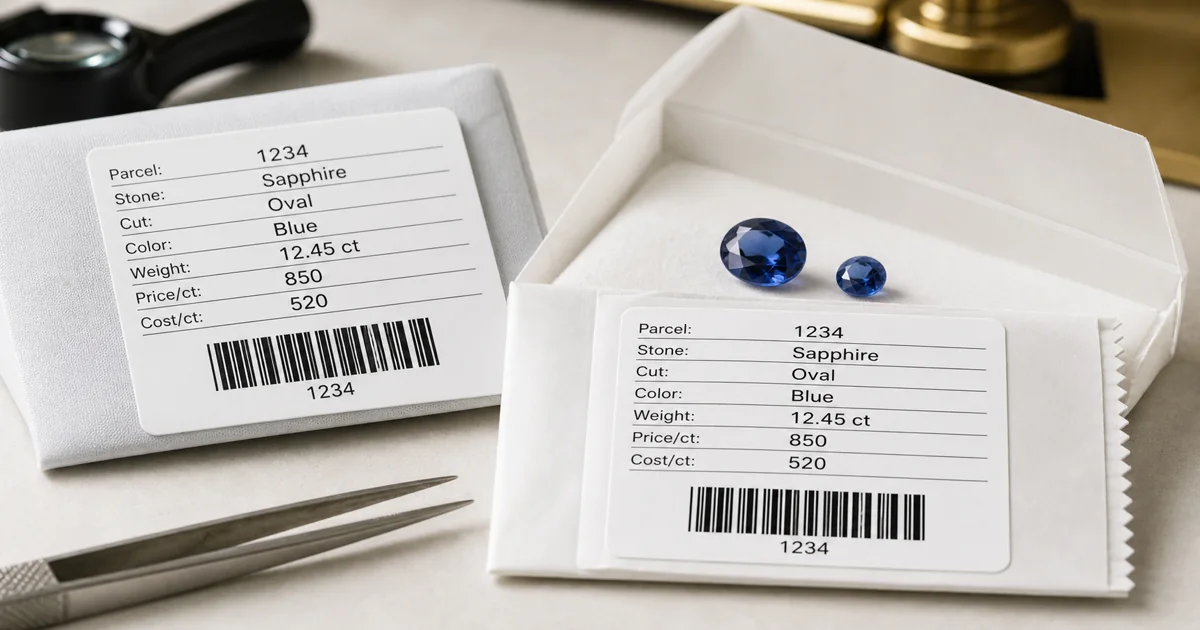
A gemstone label is small, but it carries a large part of the inventory workflow.
In a parcel-based business, the label on a packet, tray, box, or envelope is often the fastest way to connect the physical goods to the stock record. It may show a parcel number, stone type, shape, color, carat weight, pieces, cost reference, selling price, location, and customer or memo status.
Barcode and QR labels make that connection easier to use because the team can identify the parcel without retyping long references. The label becomes a practical bridge between the stones in front of the user and the inventory record that explains quantity, status, cost, memo history, and invoice activity.
The value is not only faster scanning. The real value is reducing the number of places where the wrong parcel can be selected, copied, priced, memoed, or reported.
Why gemstone labels need more discipline than normal SKUs
A standard retail SKU label usually assumes that many units are interchangeable. If a shop has ten identical boxes, scanning any one of them points to the same product record.
Gemstone parcels are different. Two parcels may both be blue sapphire, but they can differ by origin, treatment, size range, quality, cost, supplier, purchase date, customer interest, and selling strategy. Even stones bought together may later be split into smaller groups, sent on memo, partly sold, returned, or merged with matching goods.
That means a gemstone label should identify a specific parcel or stone record, not only a generic product type. A clear barcode or QR label helps the business move from "this is sapphire stock" to "this is the exact parcel record we need to update."
What should a parcel label connect to?
The best label is not overloaded with every detail. It should show the information needed at the counter, in the safe, or during packing, while the code connects to the fuller record in the system.
For gemstone inventory, that record should usually help answer:
- What parcel or stock number is this?
- What stone type, shape, color, size, pieces, and carat weight are recorded?
- Is the parcel available, reserved, on memo, partly sold, returned, or closed?
- Which customer, supplier, memo, or invoice is connected to it?
- What cost, price, and stock value does the business use for reporting?
- Has the parcel been split or merged since the label was printed?
A barcode or QR code is useful because it points the user back to that operational record. If the record is current, scanning helps the team act with more confidence. If the record is stale, the printed label can create false confidence.
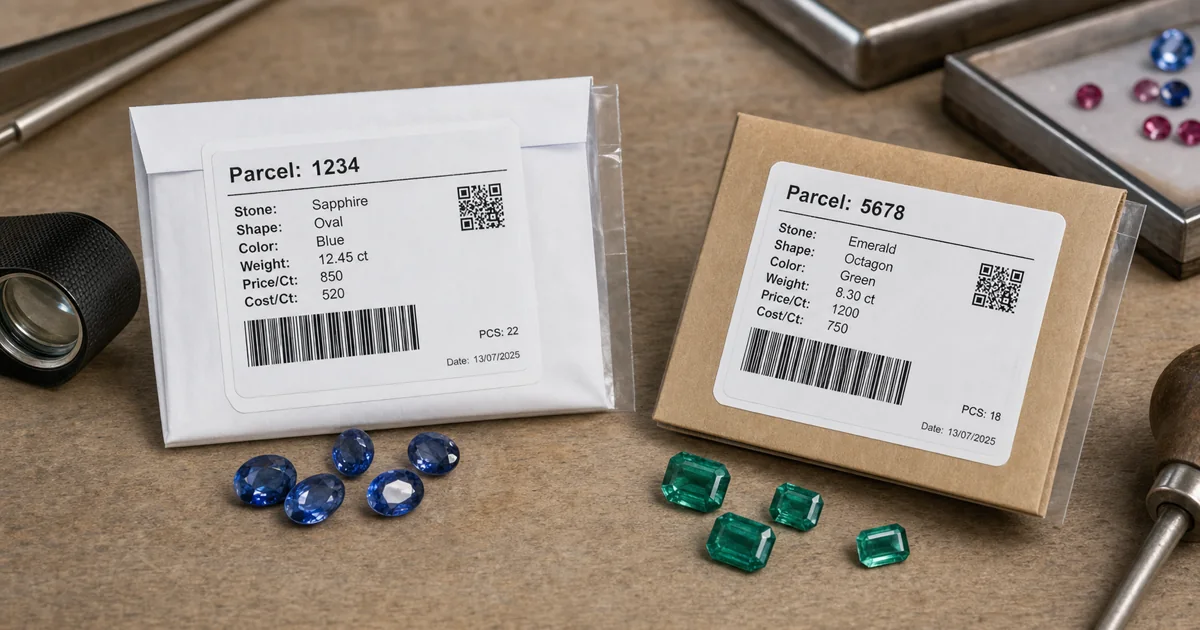
Labels fail when they are separated from inventory
Many label problems begin when labels are created outside the main stock workflow.
A team may export stock to a spreadsheet, adjust columns, print labels, then continue updating inventory somewhere else. That may work for a short period, but the labels slowly drift away from the live record. A parcel is split, but the old packet label remains. A memo return changes available quantity, but the label still shows the earlier carat weight. A copied label is placed on a similar parcel, but the stock number is not updated.
These errors are easy to miss because the label still looks official. The problem is hidden behind the printed reference.
For gemstone teams, label printing should be part of the same workflow as stock, memos, invoices, and reports. When a parcel changes, the system should make it clear whether the existing label still represents the current record.
Barcode labels versus QR labels
Both barcode and QR labels can work well for gemstone inventory. The right choice depends on the label size, the scanner setup, and how much information the code needs to carry.
A barcode is often compact and familiar for scanning a short parcel or stock number. It is useful when the system only needs a clean identifier and the full details live in the inventory record.
A QR code can hold more information and may be easier to scan with phones or tablets in some workflows. It can be useful for labels where a compact square code fits the packet format better than a long barcode.
In both cases, the code should normally identify the record rather than replace the record. The system should still be the source of truth for current quantity, cost, price, memo status, and invoice history.
Where scanning helps during daily work
Barcode and QR labels are most valuable at the points where manual selection creates risk.
When goods are pulled from the safe, a scan can help confirm that the packet matches the intended stock record. When a memo is prepared, scanning can reduce the chance of adding the wrong parcel. When goods return, scanning can help the team locate the correct open memo or parcel balance. When an invoice is prepared, the same parcel reference can carry through to the sale record.
Useful scanning workflows often include:
- Finding a parcel record quickly from the physical packet.
- Adding selected goods to a memo or invoice with fewer typed references.
- Checking whether a parcel is available before showing it to a customer.
- Reviewing returned memo goods against the original stock record.
- Reprinting labels after a parcel split, merge, or quantity change.
- Supporting stock checks by matching physical packets to system records.
This does not remove the need for disciplined inventory updates. It makes those updates easier to start from the right record.
Splits, merges, and partial sales need new label decisions
Label control becomes especially important when a parcel changes shape.
If one parcel is split into several smaller lots, each new lot needs its own identity. Reusing the original label on every packet creates confusion because the code no longer describes one current balance. The new labels should reflect the new parcel records, while the system keeps the relationship to the original parcel.
If two parcels are merged, the combined parcel needs a label that represents the combined record. The source records may still matter for cost, supplier, or purchase history, but the physical packet should not carry two conflicting identities.
Partial sales create a similar issue. If the sold portion leaves and the remaining goods stay in stock, the remaining packet label should agree with the current balance. This is why label handling belongs beside parcel split, merge, and costing workflows, not at the end as a disconnected print job.
Labels make memo tracking easier to audit
Memo and consignment workflows are another place where labels matter.
When goods leave the office, the parcel reference on the label should match the memo document and the live inventory record. If goods come back partly returned, the returned packet should still be traceable to the original memo activity. If the customer buys only part of the goods, the invoice should connect to the same parcel history.
Without that connection, the business has to compare packet labels, memo PDFs, spreadsheets, and stock rows by hand. Barcode and QR labels can reduce that work when they point to a reliable memo inventory workflow.
What to avoid when setting up labels
A label system should make the stock easier to trust, not add another layer of manual cleanup.
Common problems include:
- Printing labels from old spreadsheet exports.
- Using one generic product code for several distinct gemstone parcels.
- Putting too much text on a small label so the important reference is hard to read.
- Changing parcel numbers manually without updating memo or invoice records.
- Keeping labels on packets after splits, merges, returns, or partial sales change the balance.
- Using scanner workflows that still require staff to choose between similar duplicate records.
The goal is not to make every label complicated. The goal is to make every label point to the right record.
What to look for in gemstone label software
When evaluating gemstone inventory software, labels should be tested with real stock examples rather than a generic barcode checklist.
Choose a parcel that has been memoed, partly returned, split, or partially sold. Can the system show the current record behind the label? Can it print a label with the parcel information your team actually needs? Can it keep the label reference connected to memos, invoices, customers, suppliers, reports, and stock value?
Also check whether the workflow is practical for the people who handle packets every day. If printing or scanning is slow, staff will work around it. If the labels are clear and the record opens quickly, the label becomes part of normal inventory control.
Where Carats.Online fits
Carats.Online supports practical gemstone workflows for stock, parcels, memos, invoices, labels, customers, suppliers, and reports. For businesses that work with loose stones and parcels, barcode and QR label support helps connect the physical inventory to the operational records that the team uses every day.
The important point is focus. Gemstone businesses do not need labels that behave like generic retail stickers. They need labels that respect parcel identity, memo movement, partial sales, and stock reporting.
A good label should help the team answer a simple question quickly: "Which exact parcel is this, and what is its current status?"
Need clearer parcel labels?
Carats.Online helps gemstone teams keep stock records, barcode and QR labels, memos, invoices, and reports connected in daily work.
Request a demonstration